
QR codes on

Storefronts

Scanned through glass, with whatever's reflecting off it at the time.

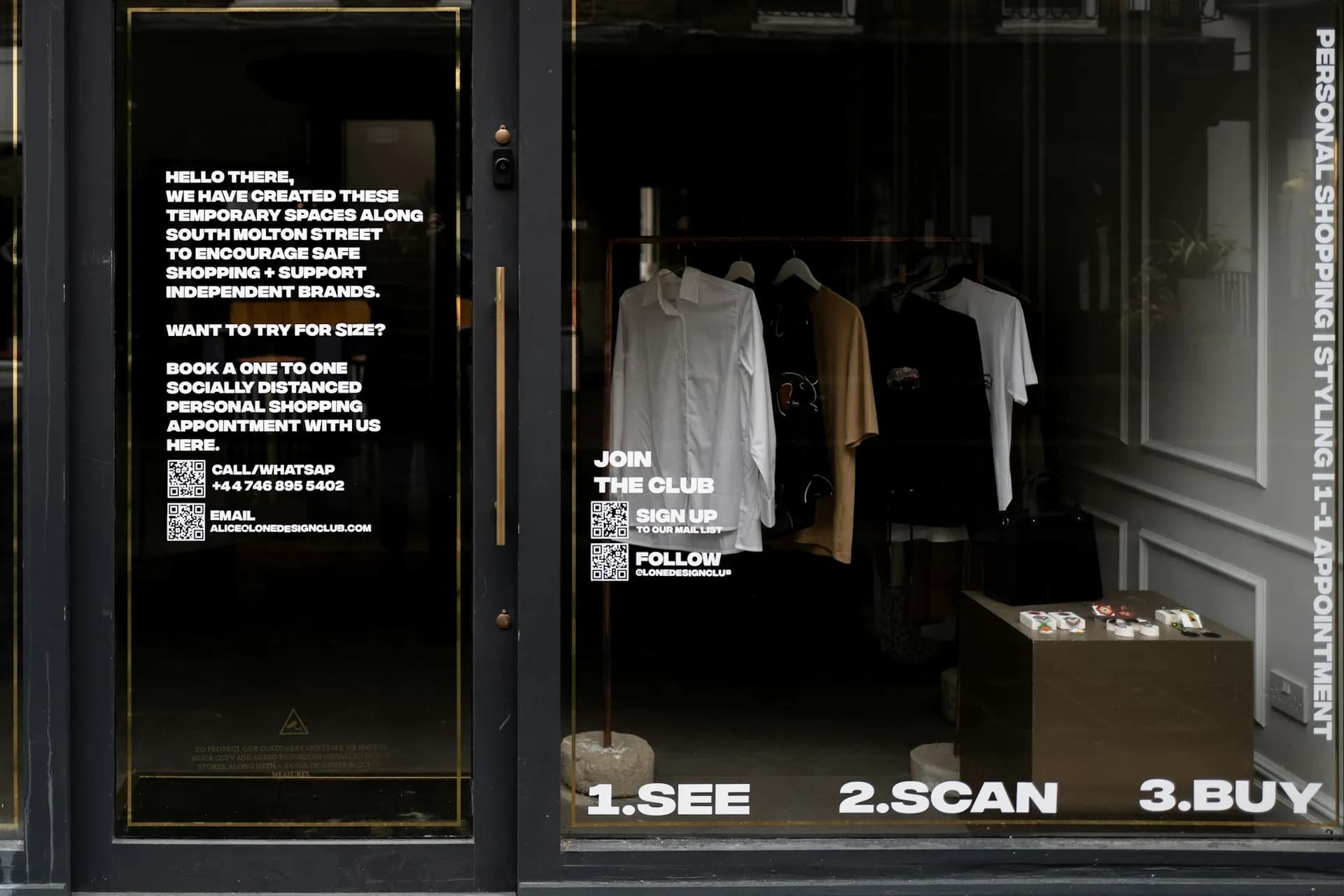
A shop window display inviting passers-by to see, scan a QR code, and buy.

Best QR type for this

Landing page

A storefront code is almost always answering one question — is this place open, what's the current offer, how do I get in touch — rather than needing a full site's navigation. A Landing Page suits that single-purpose read, especially for someone standing outside deciding whether to walk in.

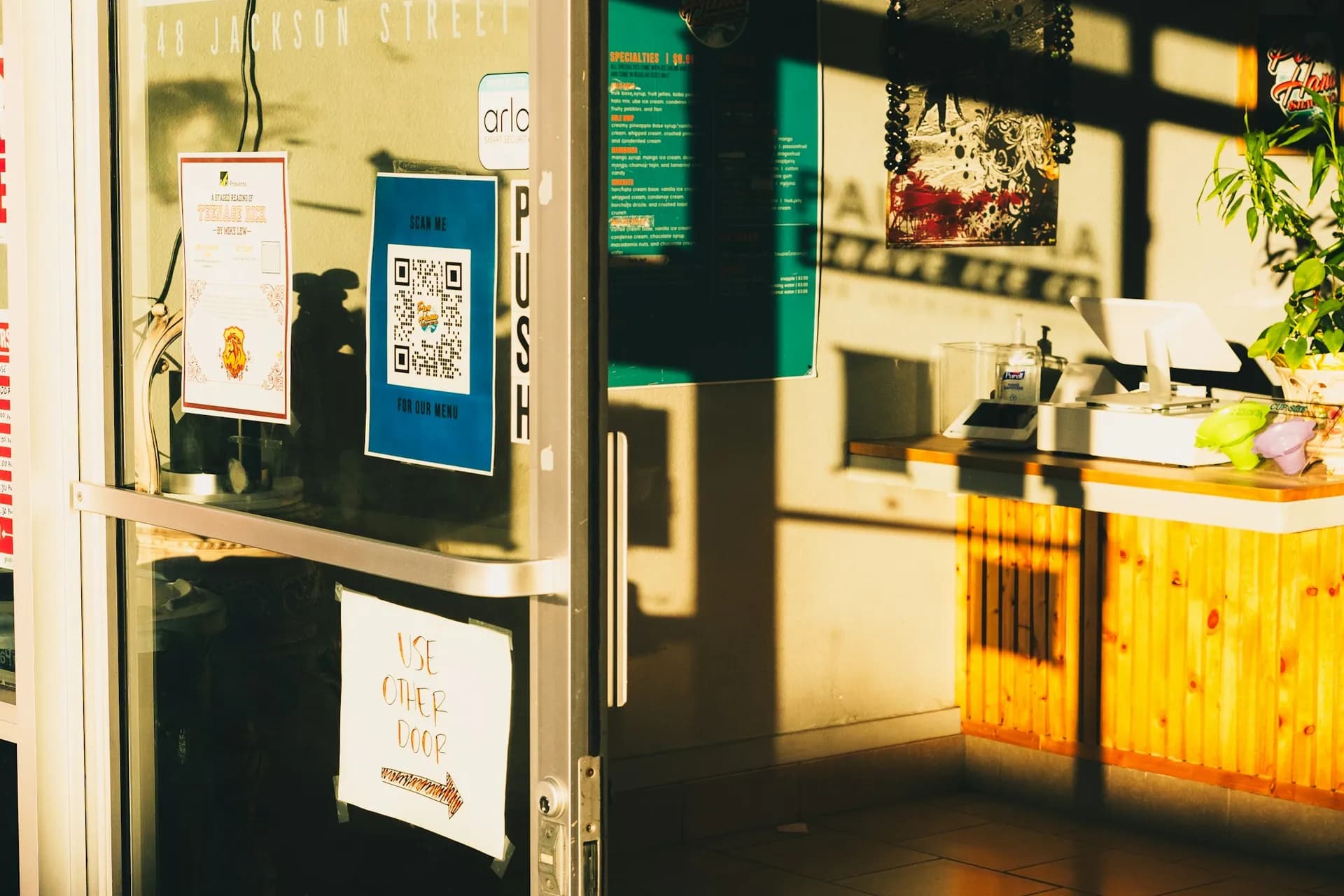
A sunlit shop entrance with a blue QR code poster in the window.

Design considerations for print

Dynamic vs. static, for storefronts

Dynamic, since a storefront's most useful message tends to change more often than the decal does. Hours change seasonally, promotions rotate, and a storefront code is one of the few surfaces in this guide where the content behind it plausibly needs updating on a weekly or monthly basis while the physical decal itself stays installed for years. A static code locks the destination to whatever was true at installation; a dynamic one lets the same decal keep pointing at this week's actual hours or offer without a new decal being cut every time something changes.

A café window with a printed QR code poster among the window decorations.

A worked example

At 1.5m, the 10:1 rule needs a 15cm floor — 150mm sits right at that line, which is why storefront decals tend to run on the larger end of what a 1–2m viewing distance would technically require. The extra size isn't excessive caution; it's margin against the one variable this surface deals with that a flat printed poster never has to: what's reflecting off the glass at the exact moment someone tries to scan it.

Scanning through glass, and whatever's reflecting off it

A storefront window is, from a QR-scanning standpoint, a fundamentally different surface than every other one in this guide, because it isn't the surface being scanned at all — it's a transparent layer between the code and the person trying to read it, and that layer behaves differently depending on the time of day, the weather, and what's happening on both sides of it. A code printed on paper or vinyl and mounted flat against a wall has one lighting condition to survive: whatever's illuminating it directly. A code on storefront glass has two — the light falling on the code itself, and whatever's reflecting off the glass surface back toward the viewer, which can partially or fully obscure the code depending on the angle.

This changes meaningfully across a single day. Morning and evening sun sit low on the horizon and can strike storefront glass at a glancing angle that throws a bright reflection directly across the window — sometimes bright enough to wash out a code that scanned perfectly a few hours earlier under overhead midday light. Interior lighting adds a second, more constant source: a bright fixture or a lit sign positioned across from the window can reflect back into the glass at night or in low ambient light, creating a persistent glare that a daytime-only test would never catch. Weather adds a third variable — rain on the glass, condensation from a temperature difference between inside and outside, even direct sun heating the glass enough to create a slight haze on certain coatings.

None of these are exotic edge cases; they're normal conditions a storefront experiences every single day it's in business, which makes single-condition testing a real gap rather than a minor oversight. Testing a storefront code means checking it at more than one time of day — ideally morning, midday, and evening — and being honest about the fact that a placement optimized only for the lighting conditions present when it was installed might fail reliably at other times the storefront is open and someone's actually standing outside trying to scan it.

Common mistakes

How to do it

  1. 1

    Choose interior or exterior mounting

    Both work — pick deliberately based on the decal material and expected durability, not by default.

  2. 2

    Test across the day

    Scan the installed code in morning, midday, and evening light before considering the installation finished.

  3. 3

    Keep it clear of the door and lighting

    Avoid the door's swing arc, handle height, and any spot directly opposite an interior light source.

Frequently asked

How big should a QR code be on a storefront window?
80–150mm on a window decal or door cling, sized for someone reading it from the sidewalk at roughly 1–2 meters while approaching or standing at the entrance.
Does glass affect QR code scanning?
Yes — glare and reflections off storefront glass change throughout the day as the angle of natural or interior light shifts, so a code that scans cleanly at midday can be washed out during a low-angle morning or evening sun.
Should a storefront QR code go on the inside or outside of the glass?
Either can work — an interior-mounted decal facing out is common and protects the print from weather, while an exterior decal is designed to handle outdoor conditions directly. Choose based on the decal material and expected durability, not by default.
Should a storefront's QR code be dynamic?
Yes, in most cases. Hours and promotions on a storefront tend to change far more often than the physical decal does, and a dynamic code lets that information stay current without cutting a new decal every time something changes.

Related materials

Relevant QR types

Ready to print one?

Free to generate, free to download.

Create your Landing page QR code